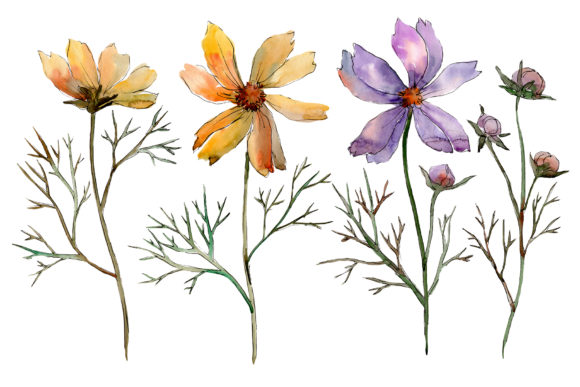
Cosmos Flower Watercolor Set: Selecting and Using High-Resolution Botanical Assets
The delicate, paper-thin petals of the cosmos flower have long been a favorite in botanical illustration, symbolizing harmony and peace. For digital creators, stationery designers, and DIY enthusiasts, a Cosmos Flower Watercolor Set offers a versatile foundation for projects ranging from wedding invitations to social media graphics. However, the transition from traditional art to digital assets introduces technical variables that can make or break a final design. Understanding the specific attributes of these PNG watercolor files is essential for achieving professional results rather than amateurish compositions.
Many users approach floral clipart with the assumption that all transparent background images function identically. This misconception often leads to frustration when prints appear pixelated, colors look muddy against dark backgrounds, or elements fail to align correctly in layout software. A high-quality Cosmos flower PNG watercolor set containing four distinct files provides ample creative freedom, but only if the user understands resolution, color management, and layering techniques. By addressing common pitfalls early, you can ensure these hand-painted aquarelle elements elevate your work instead of detracting from it.
Evaluating Resolution and Print Viability
The most frequent error when acquiring botanical graphics is overlooking the relationship between pixel dimensions and physical print size. While a file may look crisp on a smartphone screen, digital displays are forgiving in ways that ink on paper is not. When evaluating a Cosmos flower watercolor set, verify that the isolated PNG files meet the 300 DPI (dots per inch) standard at your intended output size. The specifications for this pack indicate a size of 3500x3500px, which is an excellent benchmark for quality.
At 300 DPI, a 3500x3500px image yields a printable area of approximately 11.6 inches by 11.6 inches. This is sufficient for full-page posters, large greeting cards, or substantial wedding invitation suites. A common mistake occurs when designers stretch these assets beyond their native resolution to fit a larger canvas, resulting in soft edges and visible pixelation. Conversely, using such a large file for a tiny web icon without proper optimization can slow down page load times unnecessarily. Always calculate your required print dimensions before committing to a layout. If you need a border or frame element that spans wider than 11 inches, plan to tile the graphics or use them as accent pieces rather than stretching a single flower stem across an impossible distance.
Managing Transparency and Background Integration
Flowers on a transparent background offer immense flexibility, yet they present unique challenges regarding contrast and edge integrity. Beginners often place light-colored cosmos illustrations directly onto white or very pale pastel backgrounds without considering opacity. Because watercolor is inherently translucent, the white of the paper (or digital canvas) shows through the paint. On a white digital background, the lighter washes of the flower may disappear entirely, leaving only the darker stems and centers visible.
To avoid this "ghosting" effect, test your Cosmos flower PNG watercolor set against various background tones before finalizing a design. If you intend to use these florals on white stationery, consider adding a subtle texture or a very faint tint to the background layer to provide enough contrast for the watercolor edges to register visually. Additionally, inspect the edges of the isolated PNG closely. Hand-painted elements should have soft, natural transitions into transparency. Hard, jagged edges or white halos indicate poor masking during the digitization process. High-quality assets will retain the organic bleed of the pigment, allowing for seamless blending whether used as a standalone focal point or layered to create a dense botanical pattern.
Color Consistency Across Digital and Physical Media
Watercolor sets are celebrated for their vibrant, organic hues, but color management remains a significant hurdle. RGB screens emit light, while CMYK printers reflect it. A brilliant magenta cosmos that pops on your monitor may print as a dull purple if not managed correctly. Before purchasing or downloading, check if the seller provides color profiles or conversion guidance. Even with full editable size and color capabilities, drastic adjustments in post-production can degrade image quality.
Rather than relying solely on software sliders to fix color mismatches, adopt a proactive workflow. Print a test swatch of the Cosmos flower watercolor set on your target paper stock before designing the entire project. Paper texture and absorbency dramatically alter how watercolor aesthetics translate physically. Uncoated papers tend to soften colors and spread ink, mimicking real watercolor behavior, while glossy stocks may make the digital illustration look artificial. If the colors require adjustment, do so incrementally. Over-saturating a PNG to compensate for print dullness often leads to color banding and loss of detail in the petal gradients. Trust the original hand-painted nuances; they were likely created with print reproduction in mind.
Strategic Composition and Asset Utilization
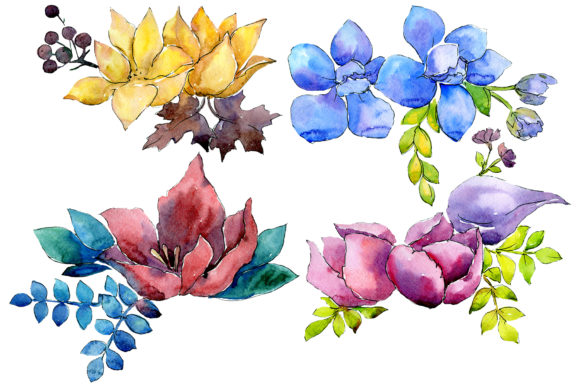
A set of four files offers curated variety, but limited quantity requires thoughtful composition. A common inefficiency arises when users attempt to force these specific illustrations into roles they were not designed for. For example, trying to create a continuous seamless pattern from four isolated flowers often results in obvious repetition and awkward negative space. Instead, leverage the strengths of individual high-detail assets.
- Focal Points: Use the largest, most detailed cosmos bloom as the primary anchor for wedding invitations or poster headers.
- Supporting Elements: Utilize smaller buds or leaves to guide the viewer’s eye toward text areas without overwhelming the content.
- Texture and Depth: Layer elements at reduced opacity to create background washes that add atmosphere without competing with typography.
- Framing: Arrange the four files in corners or along edges to build custom borders that feel organic rather than rigid.
When designing quotes or blog graphics, remember that negative space is as important as the illustration itself. Cosmos flowers have airy, open structures. Cluttering this space with heavy text or additional graphics negates the botanical elegance. Allow the transparency to breathe. If you need a denser floral arrangement, consider combining this set with complementary foliage rather than duplicating and mirroring the same four files, which creates an unnatural symmetry that the human eye quickly detects as artificial.
Licensing and Commercial Application Awareness
For entrepreneurs, marketers, and small business owners, the technical specs are only half the equation. Usage rights dictate where and how these Cosmos flower PNG watercolor sets can be applied. Misunderstanding licensing terms is a costly error that can lead to legal issues or platform takedowns. Never assume that "digital download" implies unlimited commercial use.
Before integrating these botanical elements into products for sale—such as printed greeting cards, digital planner stickers, or branded merchandise—verify the license tier. Some licenses cover personal use and small-scale sales, while others require extended commercial licenses for mass production or end-products where the graphic is the primary value. Additionally, check if modification is permitted. While this pack notes that colors and sizes are fully editable, some licensors prohibit altering the artwork to create new standalone assets for resale. Clarifying these boundaries upfront protects your business and ensures ethical support for the artists who hand-paint these intricate details. Responsible usage fosters a sustainable ecosystem for independent creators and guarantees your peace of mind as you build your brand identity.
Optimizing Workflow for Long-Term Value
Finally, treat these assets as long-term investments rather than disposable clips. Organize your Cosmos flower watercolor set immediately upon acquisition. Rename files descriptively (e.g., "Cosmos_Pink_Bloom_3500px.png") rather than keeping generic filenames like "image_01.png." Create a dedicated folder structure categorized by color, orientation, or intended use case. This simple organizational step saves hours of searching during future projects.
Furthermore, maintain master copies of the original 300 DPI files. Work on duplicates when editing colors or resizing for web use. Accidentally overwriting a high-resolution source file with a compressed web version is a frustrating, irreversible mistake that diminishes the asset's utility permanently. By respecting the technical integrity and artistic origin of these hand-painted elements, you unlock their full potential across countless applications, from intimate personal crafts to polished professional campaigns.